Docs → Events & Rewards → How to track events
🏁 How to track events
The portal reads the event out of the game by itself. Set it up so it scores the right window, judges each tier fairly, and charges the members who did not deliver — without surprises at close.
Total Battle runs an event. Your members take part — some of them, anyway. You want the portal to tell you afterwards who met the bar you set and who did not, and to charge the ones who did not, automatically, so you are not arguing from screenshots. That is what an event record does.
The numbers come to it on their own. While the event is running, your clan's linked game account reads the event board in the game every time it checks in and writes each member's current score straight into the event. When the event finishes, the game writes the final scoreboard into your clan journal and the portal collects it, usually within an hour or two. Nobody uploads anything and nobody presses anything.
So what is actually left to you is the setup at the front — dates, requirements, penalty chests — and the close at the end. Read the second chapter even if you read nothing else: nearly every "my chest was not counted" and "our points are all zero" question comes from the one counter-intuitive rule about time.
What an event is, and what arrives on its own
An event is one record belonging to your clan. It holds four things: which kind of event it is, the start and end dates, what each tier has to achieve, and which penalty chest to apply to members who fall short.
Everything that event measures reaches the portal by itself, off the back of your clan's linked game account checking in:
- Event points. While the event runs, the linked game account reads the in-game event board on every check-in and writes each member's current score into the event's point list. When the event ends at the daily reset, the game writes the event's own final scoreboard into your clan journal, the portal collects that journal, and the final figures replace the live ones.
- Chest claims. Whatever your chest grabber account collects is counted straight against the event's chest requirement. There is no chest import step at all — the count is worked out fresh every time a screen shows it.
- Chat activity. The portal reads the in-game chat group you nominated, once an hour, for as long as the event is open.
- Resource deliveries. The same linked game account reads your clan capital resource log on the same check-ins, and the event sums the deliveries live against the goal.
What is left to a human
Four things, and only four:
- Setting the event up — dates, requirements per tier, the tracked chest, the penalty chests. Nothing scores itself against a bar you have not set.
- Closing it. There is no automatic close anywhere in the portal. Closing is what applies penalties and freezes the result; it is not what makes the numbers arrive.
- Filling in the one event type the game gives no readable scoreboard for. That is Pursuit of Experience, and it is the only one.
- Repairing the rare event that missed its numbers — a button on the event, or a points file, both covered later. You should not need either in a normal month.
What the portal does not get from the game
It reads scores, not results. An event record does not start or stop anything in Total Battle, and it has no idea whether your clan placed first or last. When the Clan War Room reports a win rate, a win means one thing only: at least 80% combined completion of the point and chest requirements you set. It is your bar, not the game's verdict.
The event window, the reset, and how fresh the numbers are
This is the rule that catches everyone, so here it is first and plainly.
Concretely. You set up a one-day event and pick 15 August as the start date. The portal fills the end date in as 16 August. That is not a two-day event — it is exactly 24 hours:
- The window opens 15 August at 17:00 UTC.
- The window closes 16 August at 17:00 UTC.
- A chest collected at 15 August 10:00 UTC falls before the window. It does not count, even though it is on the start date.
- A chest collected at 16 August 09:00 UTC falls inside the window. It counts, even though it is on the end date.
The dates you type are dates only; the portal applies the game reset time to them at both ends. That is why the date range on your event list always looks one day longer than the event you are running, and why an end date of 16 August does not mean "all of 16 August".
That same window is what the automatic reading is aimed at. When the linked game account reads the event board, the portal looks for the one event of that type whose window contains the current moment. If your dates do not line up with the real in-game event, there is no such window, and the score is turned away. That is the single biggest reason a point list sits at zero — not a missing import.
What the form tells you
Under Start Date and End Date the form spells the real moment out, converted to your own time zone if you have set one on your profile: Event starts: Aug 15, 2026 at 17:00 UTC (Local: 19:00). Read those two lines before you save. They are the truth about your event; the date boxes above them are not.
The grace period extends the end only
Grace Period (Hours) pushes the closing edge of the window later. It defaults to 0, so unless you change it there is no grace at all. Set it to 2 and the window becomes 15 August 17:00 UTC → 16 August 19:00 UTC. The field accepts 0 to 999 hours; in practice clans use 1, 2, 3, 12 or 24.
Two things the grace period does not do:
- It never moves the start. There is no grace period at the front — a chest before 17:00 on the start date is lost no matter what you set here.
- It does not extend chat tracking. Chests and resources collected during the grace hours count; chat messages posted during them do not, because chat is always measured reset to reset. Set a 24-hour grace period and you get late chests counted, late messages ignored.
The helper line under the field shows the resulting moment: Effective end: Aug 16, 2026 19:00 UTC. That moment is also the gate on the Close Event button on the event's own page — until it passes, the button there is greyed out.
How current a running event's numbers are
As current as your clan's last check-in. The linked game account visits on a fixed interval set by your plan: every 30 minutes on the largest plan, every hour on the middle plans, and up to every six hours on the smallest. A running event's points are therefore at most one check-in old — a big clan watches the board move roughly every half hour, a small clan a few times a day.
- Chests and resources ride the same visits, so they are exactly as fresh as the points.
- Chat refreshes on its own hourly schedule, independent of the check-in interval.
- Each read replaces the previous figure for that member. The point list always shows the current standing, never a history — do not expect to see how a score grew.
When the final figures land
At the reset that ends the event, the game writes the event's own final scoreboard into your clan journal. The portal starts collecting journals immediately after that reset and works through every clan account once, which takes roughly two hours end to end.
- The quickest final figures land about half an hour after the reset.
- Most land within one to two hours.
- A clan late in the round can be three to five hours.
The final figures replace the live ones without anyone pressing anything. After that, nothing changes the numbers again unless a human edits them.
Choosing an event type
The type is the first field on the form. It decides three things: which trackers your event has, what the event will be called, and whether the portal can read a scoreboard for it out of the game. Everything else — dates, chests, goals, penalties — you set yourself, on every type.
That is less limiting than it sounds, because the type does not lock down your configuration. On every type you choose your own chests, goals per tier, penalties and dates. What the type controls is:
- Which trackers appear on the form — points, chests, chat, resources. A type with no chat tracker has no chat section at all.
- The pre-filled defaults, so a familiar type saves retyping the usual chest and penalty chest.
- Whether the end date is filled in for you from a fixed duration.
- Whether points arrive on their own, which depends on the game giving that event a readable scoreboard.
The types whose points fill themselves in
Ancients' Treasure, Dark Omens, Dark Omens Remnants of Dread, Ragnarok, Rise of the Ancients, The Great Hunt and Trials of Olympus all have a board the portal can read. Set the dates correctly and their point lists fill in during the event and finish themselves after it, with no human step.
Chest and resource tracking has no such gap. Those are read from your own chest and capital records, so they work on every type, including the two Custom ones.
The two Custom types, and what they really give you
Custom CHEST event and Custom RSS event are the do-it-yourself path for something not on the game calendar — a chest hunt you invented, a resource drive for a rebuild. Both score themselves from the check-ins like any other event.
What makes them different is narrow, and worth being precise about: on a normal type, choosing a start date auto-fills the end date from that type's fixed duration, and a different span raises a Duration Mismatch warning. On the two Custom types neither happens, so you pick any span you like.
- Custom CHEST event tracks chests only — no point section, no chat section.
- Custom RSS event tracks resources only.
- There is no custom-duration type with point or chat tracking. For a self-dated points event, choose a normal type and set the dates yourself — but remember that moving the dates away from the real in-game event is exactly what stops points arriving.
You can do that: the duration warning on a normal type is a warning, not a rule. A four-day event on a one-day type saves fine — you are told the span does not match what the type expects, and nothing else happens. Just be clear about the trade: a made-up span on a real event type gives you the tracker you wanted and an empty point list.
Creating an event
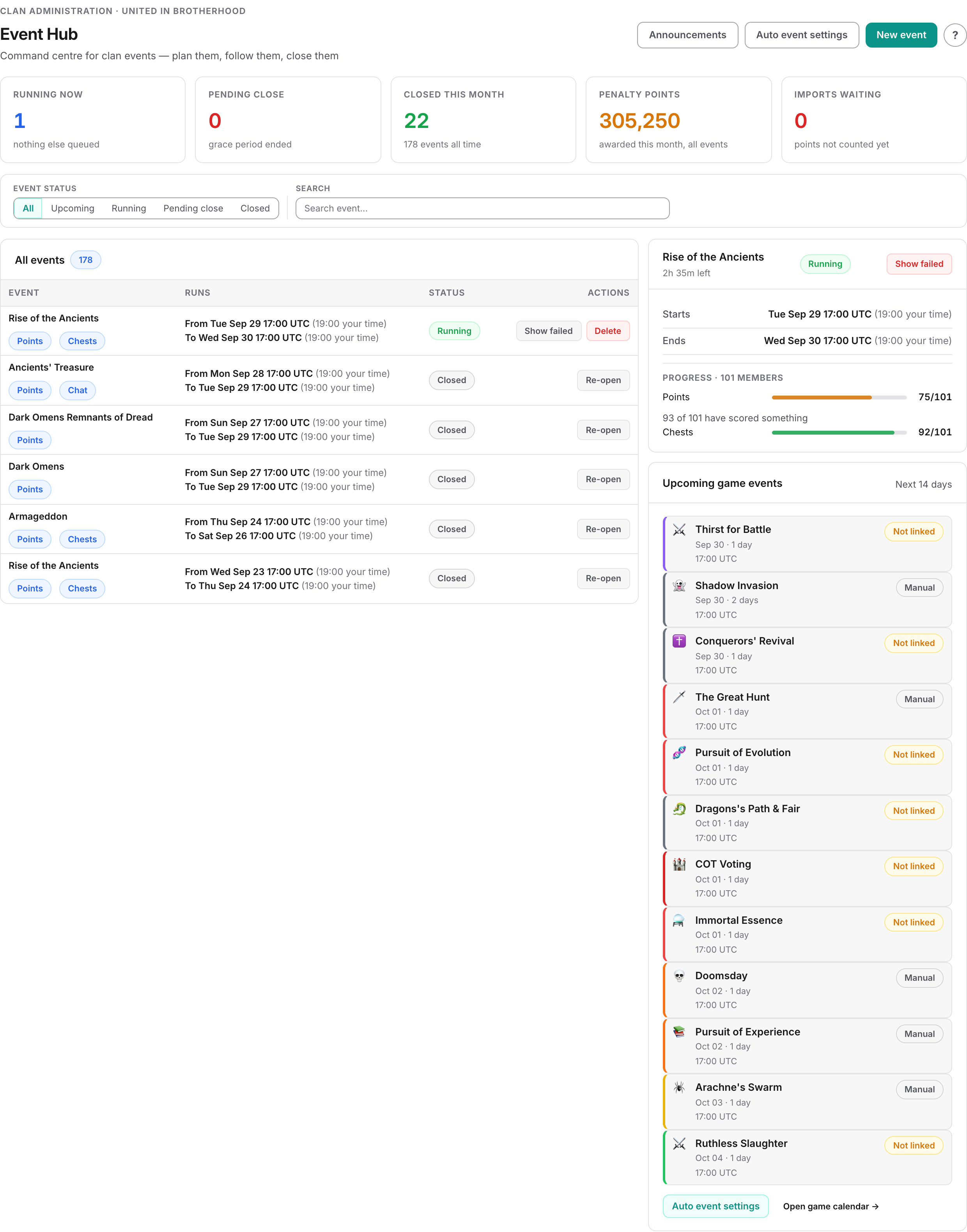
The Event Hub is the command centre: what is running now, what is waiting to be closed, what game events are coming up, and anything needing your attention. New event opens a short panel — the type, the dates, the grace period. Nothing else.
The event is created for whichever clan you have selected.
The panel shows which ledgers that type scores on, so you know what you are signing up for before you save. If the type has no ledgers set up, it says so.
It also tells you whether your auto event settings for that type will be copied onto the new event — targets, penalty chests and per-tier penalties. If there are none, the event starts empty and you fill the targets in afterwards.
On a normal type the end date fills itself in; on a custom type you set it yourself. The panel repeats the rule that catches everyone: events run on game reset, 17:00 UTC to 17:00 UTC, and the grace period is added to the end.
Check the dates against Game Tools → Event Calendar before you save. These two fields are what the automatic reading matches against, so a day out here means no points at all rather than points that are merely late.
You are taken straight to the event's own page, which is where the targets are. The portal snapshots your roster and writes one row per member into every ledger the type enables. Members who join later are added automatically while the event is open; members who leave are taken off the same way.
The event page, and where the settings live
The event page is a set of read surfaces: event settings, what this event scores, the ledgers, the actions. You do not type into the cards. Each one has an Edit that opens a panel, and each panel saves itself. There is no page-wide save button, because there is nothing on the page body left to save.
| Panel | What you set there |
|---|---|
| Event settings | Type, start and end date, grace period. The panel spells out the real moments, including when the event can be closed from. |
| Point ledger | Minimum points per tier, and what it costs to miss them. |
| Chest ledger | Which chest has to be claimed and how many times. |
| Chat ledger | Which chat group counts as a confirmed post. |
| Resource ledger | How much each tier has to send, and what it costs to fall short. |
Opening a ledger itself — rather than its settings — shows every member's row, with filters, a search box, and the buttons that repair it: rebuild the ledger when members have joined or left, and force a chat sync.
Targets per tier, and what a minimum really means
Every target starts at 0, and zero has a specific meaning that is the opposite of what most people assume.
The rule is the same for every ledger: a member passes if the target is 0, or if what they achieved is greater than or equal to it. So to exempt a tier, leave that tier's box at 0 deliberately — that is the mechanism. To have everyone judged, no box may be left at 0.
The ten tiers, and why T9 is one of them
Targets are set per tier, and there are ten: T9, then G9 down to G1.
A T9 is a member maxed on G, S, M and E — not simply a G9. They hit considerably harder, and folding them into G9 asked the strongest members in the clan for the same as everyone else in that tier. Every target list on an event has its own T9 box, and so does every per-tier penalty.
Tiers are read from the roster, and the ledger can drift
A member's ledger row is created when the event is created. Members who join afterwards are picked up automatically while the event is open — but if a ledger looks short, open it and use Rebuild ledger. It adds rows for members who joined and retires rows for members who left, and tells you how many of each before you commit.
Exemptions: two kinds, and only one of them is frozen
| What you set | What it does | When it is read |
|---|---|---|
| Clan-level exemption from all penalties | The member is removed from the failure list entirely. They cannot be charged by this event on any ledger. | Fresh, every time the portal works out who failed — including at close. |
| Excluded on one ledger row | Neutralises that ledger only. A member excluded on points can still be charged for missing chests. | Seeded when the event is created, and independent of the clan-level setting from then on. |
The difference matters when you change something after the event already exists. A clan-level exemption is checked fresh at close, so granting one late does spare that member. A row-level exclusion stands alone from then on — removing a clan-level exemption later does not re-expose a member whose rows were already ticked.
Both kinds are listed in the close preview under Failed, but not charged, so nobody quietly disappears from the result.
The four trackers, and where their numbers come from
Open an event and you get one card per ledger the type enables, showing how many members have met it. Clicking one opens the full member list — every member, with filters, a search box and the buttons that repair it. A ledger is a list of every member and how they did on one measure, nothing more.
| Tracker | What it measures, and where the data comes from |
|---|---|
| Point ledger | Event points per member against the minimum for their tier. Read from the in-game event board on every check-in while the event runs, then replaced by the final scoreboard collected from your clan journal after it ends. |
| Chest ledger | How many of the tracked chests each member claimed inside the window, against Chests required. Counted live from what your chest grabber account collected — nothing is imported into the event. |
| Chat ledger | Whether the member posted in the nominated in-game chat group during the window. Refreshed hourly on its own. A message on record is proof of participation; the separate missing-players list is the failure list. |
| Resource ledger | Resources sent, against per-level goals, either combined across the selected types or one goal per type. Read from your clan capital log on the same check-ins and summed live. |
The point list rewrites itself from the game
Each read replaces the whole list, not just the scores. A member who is on the in-game board gets their row updated; a member who is missing from the board loses their row for that event, and gets it back on the next read if the game lists them again. That is why someone can disappear from the point list mid-event and reappear an hour later — it is the board being copied, not a deletion by anyone.
A read that returns nothing at all — a failed login, an empty board — is thrown away rather than applied, so an outage can never wipe a list. It simply means the numbers stop moving until the next good read.
When points do not arrive, in the order to check
Three repair routes exist, and they are worth knowing in the right order — the first two are almost always the real answer.
- Check the dates first, against the real in-game event. A window that does not contain the event cannot receive anything, live or final.
- Close older events of the same type, which can absorb the end-of-event collection and leave the just-finished event without its final figures.
- Use Import Journal Points on the event. This is the repair button. It appears on the event's own page only when the type has a readable scoreboard, the window has ended, and no journal figures have landed yet. It searches your clan's stored journals across the whole event span, takes the fullest scoreboard it finds, and writes it in — the same end result as the automatic collection, triggered by hand.
Both of the first two are covered in full in the troubleshooting chapter.
Two manual routes remain, for the cases the above cannot cover:
- A points file, uploaded and reviewed on Import Management → Import Hub: Event Points. Names are matched against your members and their known aliases, then by similarity; anything the portal cannot match with confidence is held on the review page rather than guessed, and the whole import waits for you to approve it. If a row reports a member's VIP level as more than two levels higher than stored, or lower at all, the import is held for review — the cheapest available signal that the wrong row was read. This is the only points route that exists for Pursuit of Experience.
- By hand. Open the Point ledger and type a member's points, bonus points or penalty points directly. Only possible while the event is open. Be aware that on a type with a readable scoreboard, the next check-in overwrites whatever you typed — hand-editing is for after the window has closed, not during.
Chat tracking
Messages are harvested for open events roughly every hour, and for a few hours past the end so nothing is missed. Force it from the Chat ledger with Force sync chat; it runs in the background and the list refreshes within a minute or so. The hourly schedule already covers open events, so the button is a convenience rather than a requirement.
Messages are attributed to members automatically by their player identity. Where that fails — usually someone not on your roster — the message is stored under the sender's nickname for you to assign by hand. You can also reject a message that should not count.
Tower events judge on one thing only
How chests are matched to the event
Nothing is stored linking a chest to an event, and nothing is ever imported into one. Every time a screen shows a chest count, the portal counts afresh: all chests for that member, of the tracked kind, collected between the effective start and the effective end.
What "the tracked kind" means depends on your What counts as the chest — exactly that one chest from your catalogue, every chest in your catalogue belonging to that group, or every chest carrying that tag. Groups and tags are resolved at counting time, so adding a chest to the tracked group halfway through the event counts it immediately, including copies your members claimed earlier in the window.
Counting live has three consequences worth knowing:
- A late chest still counts. Your chest grabber account runs on its own schedule. If a collection run lands after the event's end but the chest was claimed inside the window, it is included the moment it arrives.
- Editing the dates re-scores everybody, silently. Moving the start or end date of an open event changes who passed and who failed, with no warning and no record of the change.
- Changing the required number re-scores everybody too, for the same reason.
On the member list, Chests Claimed shows claimed against required with a percentage underneath, and the clock column flags members whose chests arrived during the grace hours rather than in the main window.
Nudging members before it is too late
The bell button on the Chest ledger sends a direct message in Total Battle to every member who has not yet met the chest requirement. Because the counts are live, that list is accurate to the last check-in. It is worth doing a few hours before the reset rather than after — once the window shuts there is nothing anyone can do.
Closing an event, and what closing actually does
The scores arrive on their own. The verdict does not. An event whose window has ended waits until a human closes it, and until then no penalty and no statistics exist. There is no scheduled auto-close anywhere in the portal.
Close event unlocks the moment the effective end passes — the end date at 17:00 UTC plus your grace hours. It opens a preview that is the calculation, not a summary of it: failures grouped by ledger with their own columns, who will be charged what in points and Silver, which chest cycle it lands in, and what the clan will be told.
Six things stop a close dead, and the preview names every one of them before you press anything:
- The event is already closed.
- No open chest cycle for the penalty points to land in.
- A ledger that charges points with no penalty chest to book them on.
- A chest requirement with no chest named — nothing is measured, so everybody fails.
- A chat group that has never been read — everybody starts marked as not having posted.
- A resource ledger with no resource types — the goal is zero, so everybody passes.
Point imports still waiting for review do not block the close, but their points are not in the numbers — the preview warns you, and you should review them first.
Closing is also the moment the numbers stop. Once closed, the live reading is refused, the automatic journal collection skips the event, and its ledgers cannot be edited. So the order matters: let the final figures land, then close.
Re-opening puts the event back into editing and revokes the penalties it applied — the negative chests are removed, the Silver is credited back, the resource entries are unwound, and every ledger row goes back to pending. It is refused if those penalties sit in a chest cycle that has already been closed.
Penalties from events, and where they land
An event penalty is two things, and an event can charge either or both.
Penalty points — a negative chest
Points are written as a chest, a negative one, on the member's own chest record, so they flow into the chest cycle totals exactly like a real chest, only downwards.
Three things must be true before one is written:
- The member failed a ledger the event actually evaluates.
- They are not excluded, at clan level or on that ledger's row.
- A penalty chest is chosen for that ledger. Leave it empty and no points are written, whatever value you typed. This is the most common reason a close reports fewer penalties than expected. Only catalogue entries marked as penalty chests appear in those pickers.
Penalty Silver — a debit on the CP account
Silver is charged to the member's clan CP account and their balance moves down by that amount. It appears on their CP statement named after the event.
How much
Both points and Silver can be set per tier, so a T9 and a G3 need not pay the same. Where no per-tier figure is set, the event's single value is used for everyone.
| Ledger | Amount |
|---|---|
| Points | The tier's penalty, once. |
| Chests | The tier's penalty multiplied by the shortfall. Required 5, claimed 3 means two lots. |
| Chat | The tier's penalty, once. |
| Resources | The tier's penalty, once — in points and in Silver, like the other three. |
Scaled by shortfall
An event can scale the point penalty by how far short the member came. Someone on 0 points pays the full penalty; someone on 90% of target pays 10% of it — points and Silver alike, always rounded up with a minimum of 1. The close preview shows both the scaled amount and what the full penalty would have been, so the arithmetic is never hidden.
Which cycle it lands in
The penalty is dated to the event's effective end and dropped into the open chest cycle containing that moment. If no open cycle contains it, it goes into the next open cycle instead.
So if you close an event weeks late, after the cycle it ran in has been closed, the penalty lands in the current cycle. That is the answer to "why is there a penalty from last month's event in this cycle" — it went where the clan was when you pressed Close, not where the event ran. The close preview names the cycle before you press anything.
The member is notified in the portal, and the penalty is visible on Clan Management → Claimed Chests with a Penalty badge and on Clan Administration → Applied Penalties.
Letting the portal create your recurring events
If you run the same events every rotation, you do not have to create them by hand. Auto Event Settings is not a menu entry of its own — open Clan Administration → Event Hub and follow the ⚙️ Auto Event Settings link at the foot of the page. It holds one profile per event type: turn on auto-creation, choose how many days ahead to create the event (3 by default), and store the settings it should be created with — level minimums, tracked chest, number required, penalty chests and values, grace hours, chat group and resource setup.
A background task runs once a day at 00:05 UTC and creates the events due. Your clan defaults win over the event type's defaults.
This is worth turning on for more than the typing it saves. Auto-created events take their dates from the game calendar, which is precisely what the automatic reading needs in order to find a matching window. Hand-dated events are where mismatched dates — and therefore empty point lists — come from.
Remember that a created-in-advance event snapshots tiers at the moment it is created. With the default of three days, use Sync G-levels on the day the event starts.
When the numbers look wrong
In rough order of how often each one is the actual answer.
"The point list is full of members but every score is 0"
Almost always the dates. The reading only lands in an event whose window contains the moment of the read, so an event dated a day off the real in-game event never receives anything — and nothing warns you, because from the portal's side nothing happened. Compare your Start Date against Game Tools → Event Calendar, fix it while the event is open, and the next check-in fills the list. If the event has already ended, correct the dates and then use Import Journal Points — re-opening the event first if you have already closed it.
"Live points came in, but the final scores never replaced them"
Look for older events of the same type still sitting open. The end-of-event collection picks one open event of that type per clan, and an old one can absorb the lookup, leaving the event that just finished with only its last live reading. Close the stale ones, then press Import Journal Points on the event that missed out. Prevention is simply closing finished events promptly.
"Nothing has moved at all — no points, no chests, no chat, no resources"
When every tracker goes quiet at once, the cause is upstream of the event: your clan's linked game account is not checking in. It may be paused, locked out of the game, waiting on a verification code, over the month's chest limit, or the subscription may not currently cover it. The event pages give no warning about this, which is why four dead trackers at once is the tell. Contact support if you cannot see why.
"A member disappeared from the point list"
The list is rewritten from the in-game board on each read, so anyone the game does not list is dropped from that event and comes back on the next read if the game lists them again. Give it a check-in before worrying. If they never come back, they are probably not registered on the board in-game at all.
"This member claimed the chest, but it is not counted"
Check the collection time against the window. A chest claimed on the start date before 17:00 UTC is outside the event, and this is the cause far more often than anything else. Second check: is the chest in the group or tag you are tracking, in your own catalogue?
"Everyone passed and nobody was charged"
A requirement left at 0 passes everyone. Check Chests required and all ten tier boxes — and that a penalty chest is chosen, since a penalty value without one produces nothing.
"We got a notification that players could not be matched"
That comes from the automatic end-of-event collection: it found members on the game's scoreboard that it could not tie to anyone in your clan, so it ignored those rows and told you which names. The usual causes are a member who has left, a member created by hand without a game identity, or a player who is simply not one of yours. The notification links straight to the review screen. Everything else in that import went through normally.
"The chest progress on the dashboard has not moved all event"
Known limitation. For a running event the overview cannot recount every member's chests cheaply, so it falls back to the stored pass/fail state, which stays pending until you close. Open the event itself and use the Chest ledger for live numbers.
"A member who joined mid-event is missing from the list"
New members are added to open events automatically, but only while the event has not ended. On the Point ledger and Chest ledgers, use Rebuild ledger — it drops members who have left and adds ones who are missing. Open events only. The Resource ledger has the same clean-up under a different label — Rebuild ledger, open events only as well. The Chat ledger has no clean-up: its Resync members button rebuilds the missing-players list from your current roster instead, dropping anyone who has left the clan, and it cannot be undone.
"Members are judged against the wrong tier"
The level was frozen when the event was created. Use Sync G-levels in the Point ledger, or fix the individual rows, before you close.
"Requirements other than the tower measure were ignored"
Check whether the event has a Tower Verification Method. If it does, only that one measure counts and everything else is ignored at close.
"The event will not close"
Either the effective end has not passed — check the grace hours, which push it later than you may remember — or your clan has no open chest cycle, which the error message says outright.
"Event Statistics disagrees with the event page"
Statistics are written once, at close. If the event was re-opened afterwards the old figures remain; closing it again rewrites them. An event where every requirement was 0 is still recorded, but it counts for nothing you want: it is left out of the completion and win/loss figures because nobody had anything to complete — and it is filed as a loss, which is why it can still break a win streak (see the deep dive below).
▶Deep dive — why a run of "everyone passed" events can dent your win streak
An event where no requirement was set has nobody to count, so it cannot be completed by anyone. The win and loss counters already ignore those events, but the event is still recorded, and it is recorded as a loss — so the current and best streak figures do count it. An event nobody could have failed can therefore break a streak, and can hold back the streak-based clan achievements. If your streak looks shorter than your record deserves, check whether there are events in the run with every requirement left at 0. Setting real requirements on future events is the fix; the streak recovers as those events close.
A short checklist before you close
- A couple of hours have passed since the reset, and the point list reads like a finished scoreboard rather than a mid-event snapshot.
- No older events of the same type are still sitting open, holding up the final figures.
- tiers synced.
- Chat messages synced and any unattributed ones assigned.
- Show → Failed Requirements read through, and exclusions ticked for anyone who should be spared.
- A penalty chest chosen for every tracker you want to charge on.
- An open chest cycle exists.
Then close it. Everything after that point is read-only, which is exactly what you want when someone asks three weeks later why they were charged.
Common questions
Do I have to import event points after every event?
No. Points arrive on their own. While the event runs, your clan's linked game account reads the in-game event board on every check-in and writes each member's score into the event. When the event finishes, the game writes the final scoreboard into your clan journal and the portal collects it automatically, usually within an hour or two of the reset. Uploading a points file is a repair tool for an event that never got its numbers — not the normal route.
How often do the numbers update while an event is running?
Every time your clan's linked game account checks in, and that interval is set by your plan: every 30 minutes on the largest plan, every hour on the middle plans, and up to every six hours on the smallest. Chest claims and resource deliveries ride the same check-ins, so they are equally current. Chat activity refreshes hourly on its own schedule. Each read replaces the previous figure, so the list always shows the current standing rather than a history.
The event finished. How long before the final scores appear?
Usually within an hour or two of the daily reset. At the reset the game writes the event's final scoreboard into your clan journal, and the portal starts collecting journals straight afterwards, working through every clan account once. The quickest final figures land about half an hour after the reset; a clan late in the round can be three to five hours. Wait for them before you close the event — a closed event stops accepting both the live reading and the journal figures.
Why is my Pursuit of Experience point list empty?
Because the game gives no readable scoreboard for that event, so neither the live reading nor the journal can ever fill it. It is the one event type with that gap. Your options are to upload a points file on Imports: Event Points, to type the points in by hand while the event is open, or to judge the event on chests, chat or resources instead — those are read automatically on every type.
Why does my one-day event show two dates?
Because the game day runs from 17:00 UTC to 17:00 UTC. A one-day event that starts on 15 August ends on 16 August, and the real window is 15 August 17:00 UTC to 16 August 17:00 UTC — exactly 24 hours across two calendar dates. The helper lines under the date fields spell out the actual moments. That window is also what the automatic reading matches against, so dates that do not line up with the real in-game event are the most common reason a point list stays empty.
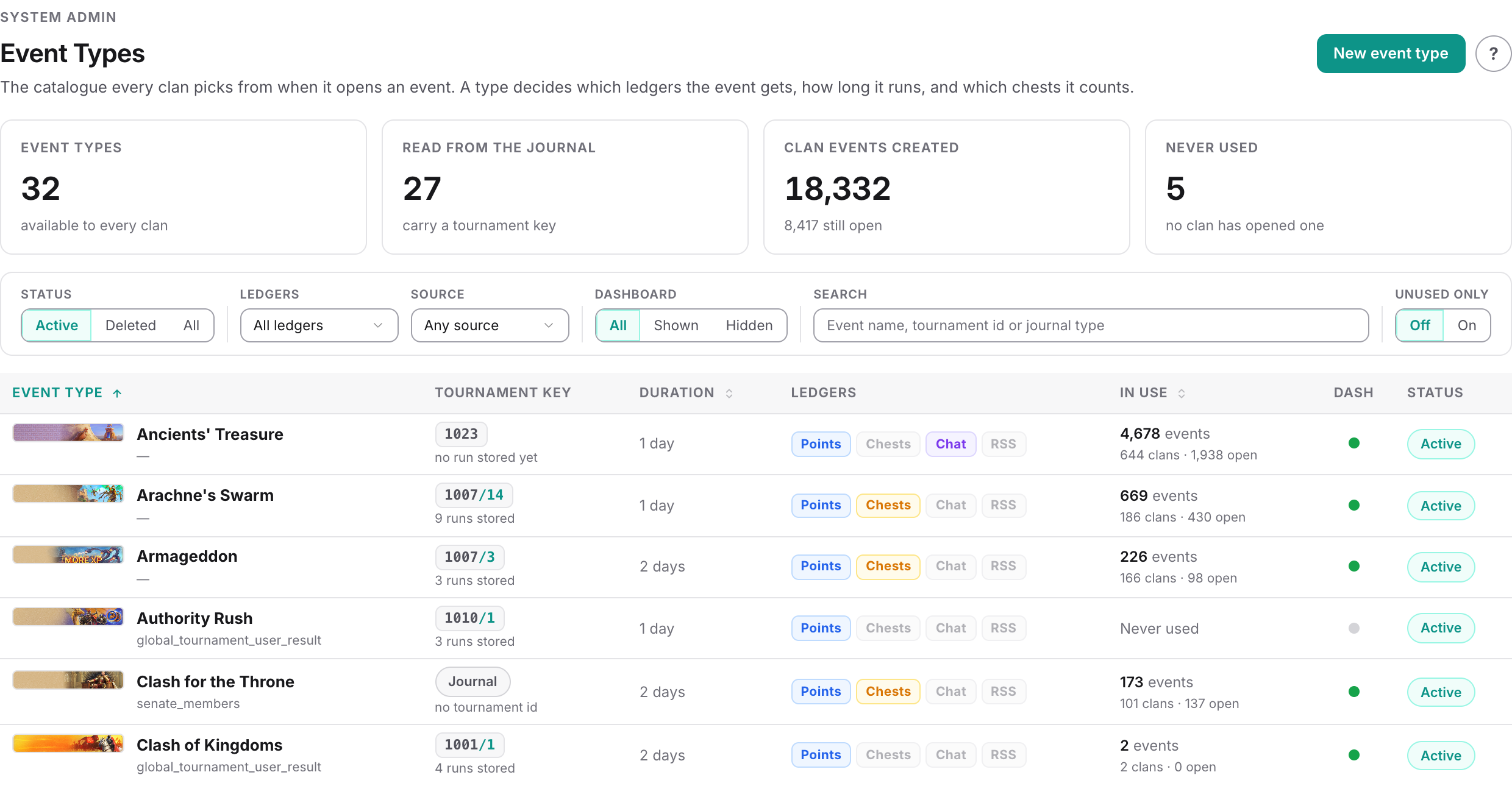
Can I create my own event type?
No. The event type list is maintained centrally and is the same for every clan. You can, however, set your own chests, goals per tier, penalties and dates on any type — the type only decides which trackers exist, what the event is called, and whether the game exposes a scoreboard the portal can read. For a one-off that is not on the game calendar, pick Custom CHEST event or Custom RSS event, which let you choose any start and end date and still count chests or resources automatically. If you need a genuinely new named type, or a self-dated event with point or chat tracking, contact support.
I set a penalty value but nobody was charged. Why?
Almost always because no penalty chest was selected. A penalty is only written when the tracker has a chest chosen — the field is called Penalty chest on the point and chest sections, and Penalty Chest on the chat and resource sections. The value alone does nothing. The other common cause is a requirement left at 0, which passes everyone automatically.
Why can I not press Close Event?
Either the window has not finished — on the event's own page the button unlocks at 17:00 UTC on the end date, plus any grace hours you set — or your clan has no open chest cycle. Event penalties are written into the open cycle, so the close is refused outright if there is not one. The greyed-out tooltip mentioning 23:59 is misleading; the real gate is the reset time plus grace. Note that the Close Event action on the events list is not held back the same way: it will close an event that is still running, so close from inside the event.
I closed the event too early and the final scores never landed. Can I fix it?
Yes, and the order matters. Use Re-open first — it always rolls the wrong penalties back, chests and Silver alike. Then press Import Journal Points, which pulls the final scoreboard from your clan's stored journals, and close the event again. Importing onto an event that is still closed writes the points but leaves the pass/fail badges and the penalties exactly as the early close decided them. Check also that no older event of the same type is still open, because that is usually why the automatic collection missed it in the first place.
What happens if I re-open a closed event?
The event becomes editable again. Every penalty chest this event created is removed and the point and chest trackers go back to pending. What is not undone is the statistics written at close — those keep their old figures until you close the event again.
A chest was collected during the grace period. Does it count?
Yes. Chests and resources collected within the grace hours count towards the event, and the clock column on the chest list flags members whose chests arrived that way. Chat messages are the exception — chat is always measured reset to reset and the grace period does not extend it.
Why is there an event penalty in this chest cycle when the event ran last month?
Because penalties are created when you press Close, not when the event ended, and they land in whichever cycle is open at that moment. An event closed weeks late puts its penalties into the current cycle, with the date pulled inside that cycle so the totals add up.
Does the portal know whether we won the event in the game?
No. It reads scores, not results. The win rate on the Clan War Room means at least 80% combined completion of the point and chest requirements you set. It has nothing to do with the clan's in-game placing, and it does not take chat or resource tracking into account at all.
Related